From Two Subscriptions to One Weekend Build: The AI Architecture Pattern Everyone's Missing
I spent a weekend building what I was paying $200/year for. Here's what I learned about AI architecture—MCP, Skills, Subagents, and Prompts—and why context window is sacred.
这篇暂时只有英文版。
The Problem
You have data. Lots of it.
Your team captures everything—sales metrics, customer interactions, product analytics, support tickets. But when someone asks a simple question like “Are we improving?” you’re stuck either:
- Clicking through five dashboards and manually connecting dots, or
- Paying for specialized tools that lock you into their workflows
Sound familiar?
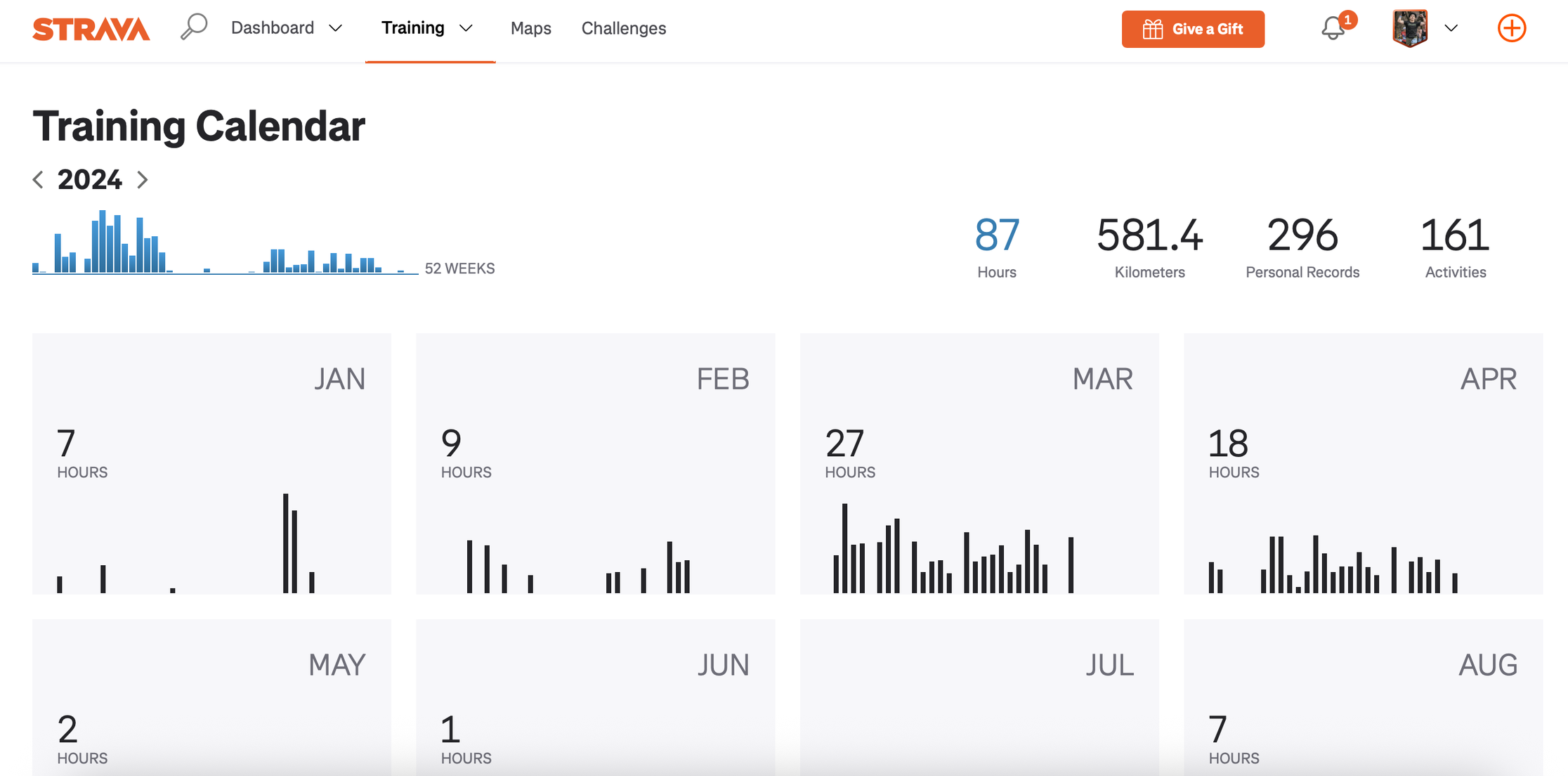
I hit this wall with my running data. I was paying $200/year for Strava and Runna (coaching app) but still couldn’t get straight answers to questions like:
- “It’s been 2 weeks since NYC Marathon—am I recovering well?”
- “This same route, how does today compare to last week? Last month?”
- “How am I performing vs my training plan for Jersey City Half?”
The apps gave me charts and pace averages. What I needed was analysis with context.
So I spent a weekend building something different. Not a dashboard. Not another analytics tool. A conversation.
First, I created a Claude Project and loaded it with knowledge:
- My personalized training plan (created through earlier Claude discussions)
- Modern training methodologies (Jack Daniels VDOT, Pfitzinger periodization)
- My race goals and current phase
Then I connected my running database (867 runs worth of history).
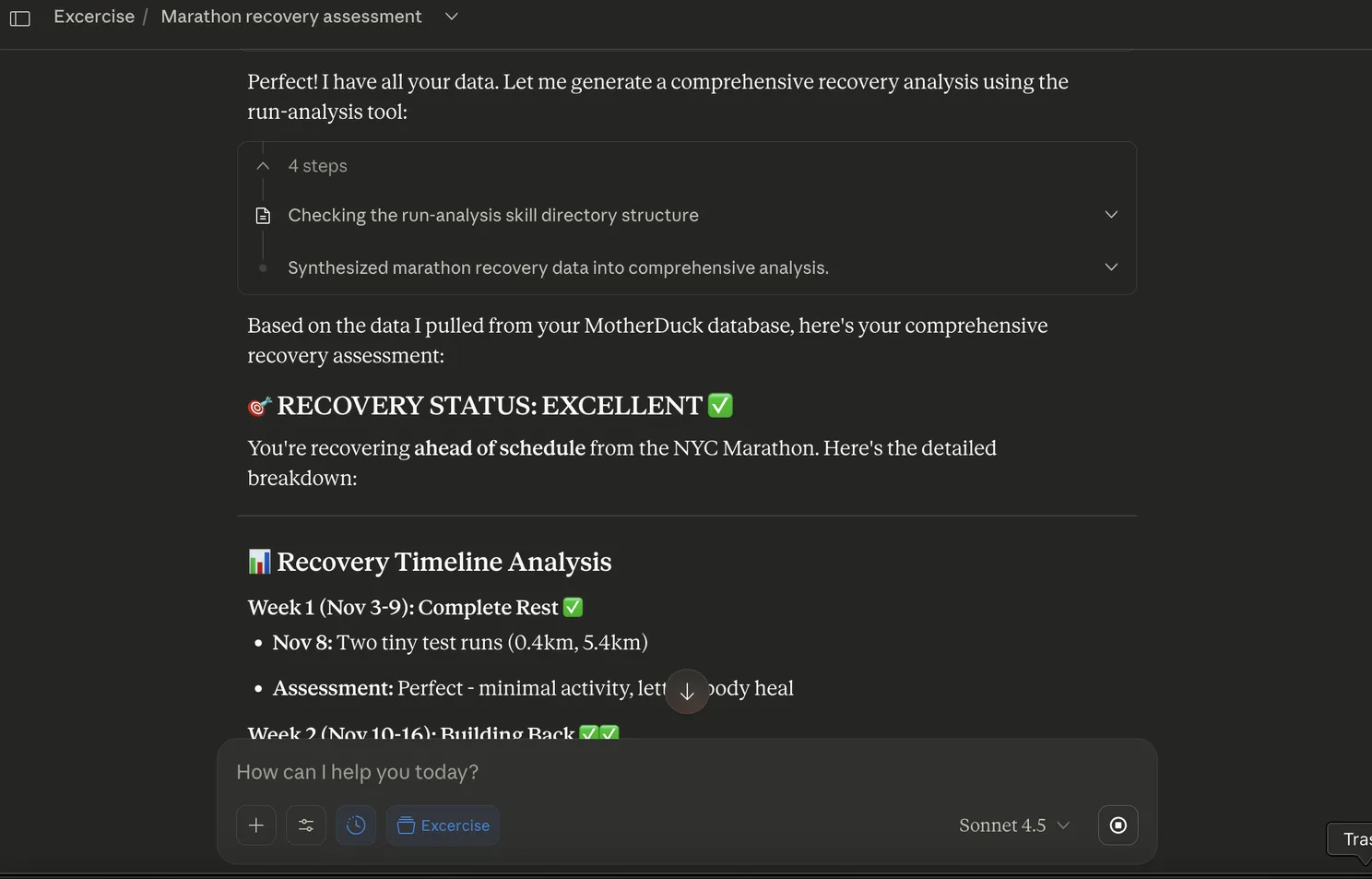
Now I can ask: “Analyze my recent run vs my training plan” and get back comprehensive analysis—split-by-split breakdown, heart rate zones, historical comparisons, recovery assessment, personalized recommendations. In seconds.
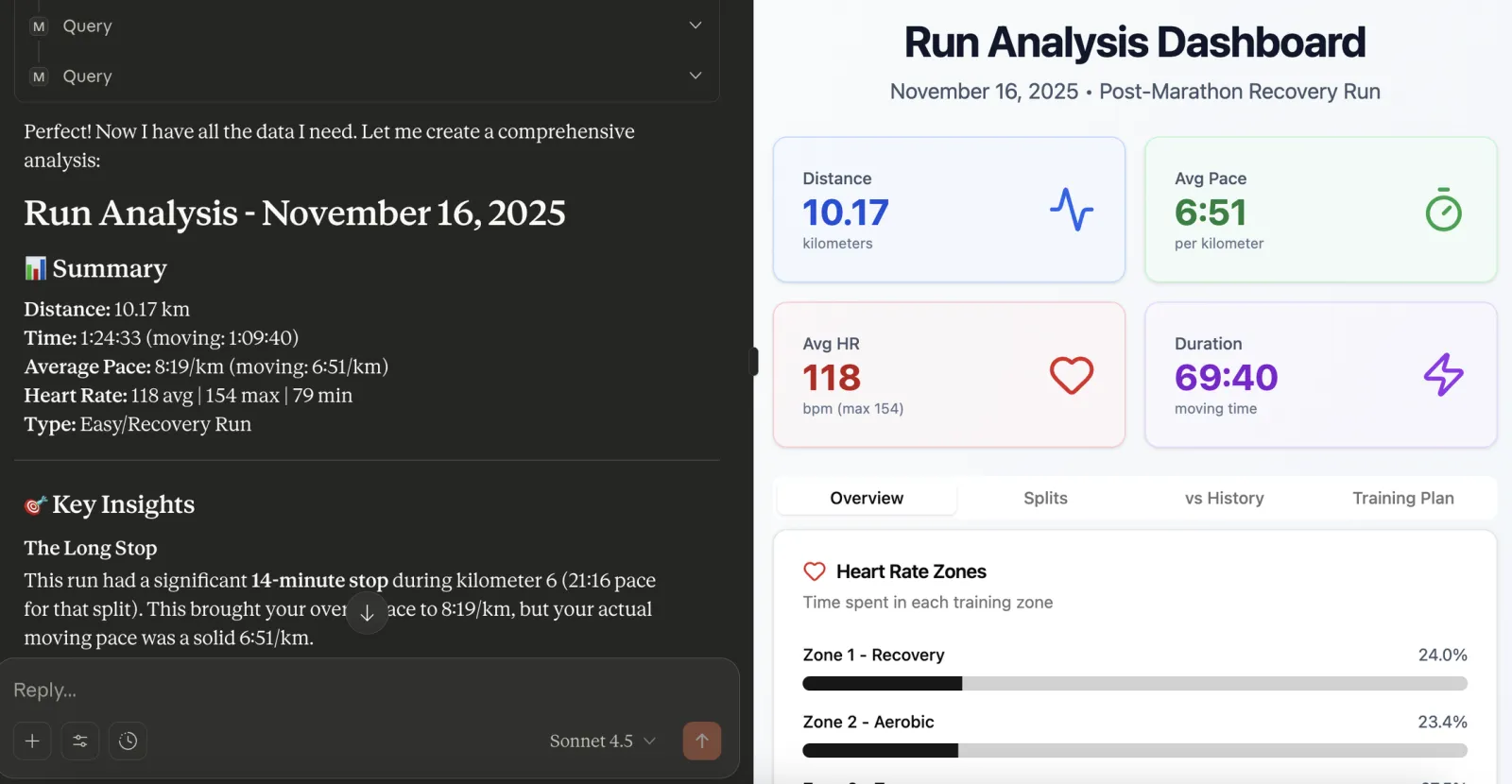
And now I’m considering canceling both subscriptions.
The technical architecture behind this taught me four concepts that are reshaping how businesses interact with data: MCP, Skills, Subagents, and Prompts.
But more importantly, I learned the unifying principle behind all of them:
Context window is sacred.
Every AI has a limited “working memory” (context window). The breakthrough isn’t making AI smarter—it’s making AI more context-efficient. All four concepts are techniques for managing what gets loaded into that precious context window, and when.
Here’s what they actually mean, and why they matter for your business (explained without the hype).
What I Built (The Context)
Before diving into concepts, here’s the setup:
Step 1: Set up project knowledge (using Claude Projects)
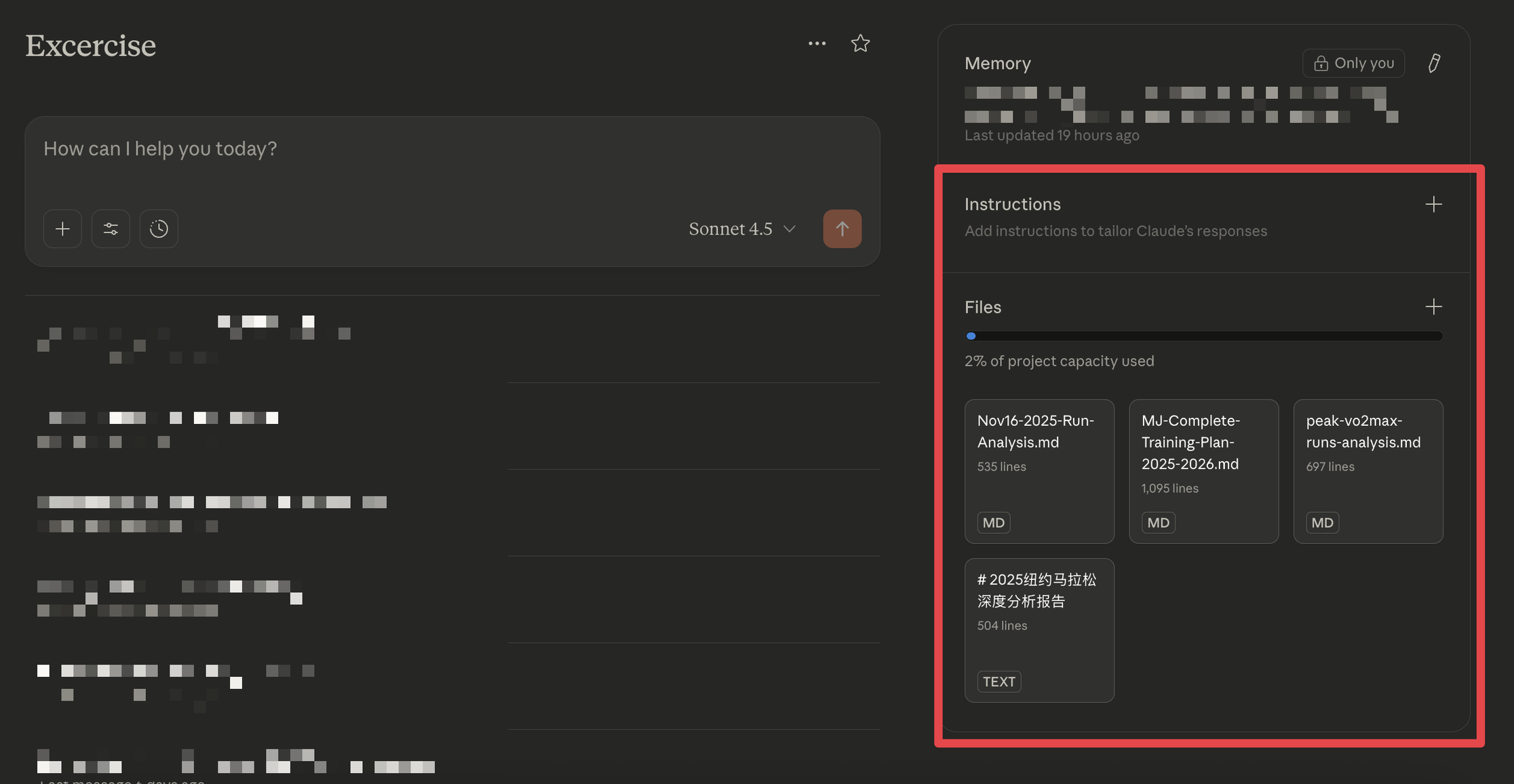
- Created a dedicated “Running” project in Claude
- Added my personalized training plan (developed through previous Claude conversations)
- Included modern training science frameworks (Jack Daniels VDOT, Pfitzinger HR zones, periodization models)
- This gave the AI baseline context about how to evaluate running performance
Step 2: Connected data source (using MCP)
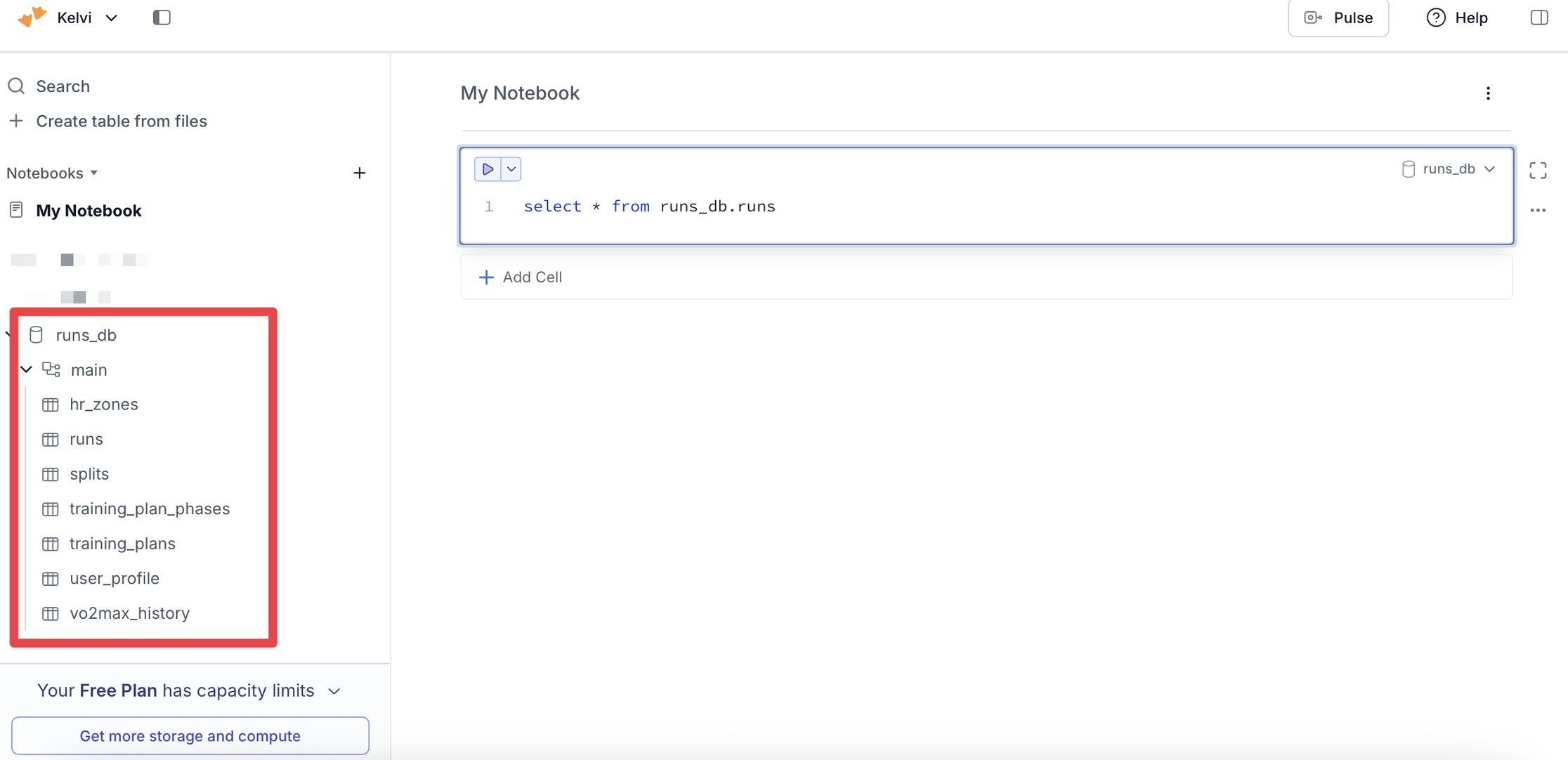
- Linked my cloud database containing 867 runs of historical data
- Enabled the AI to query actual performance metrics, not just theoretical principles
Step 3: Built conversational analysis (using Skills + Prompts)
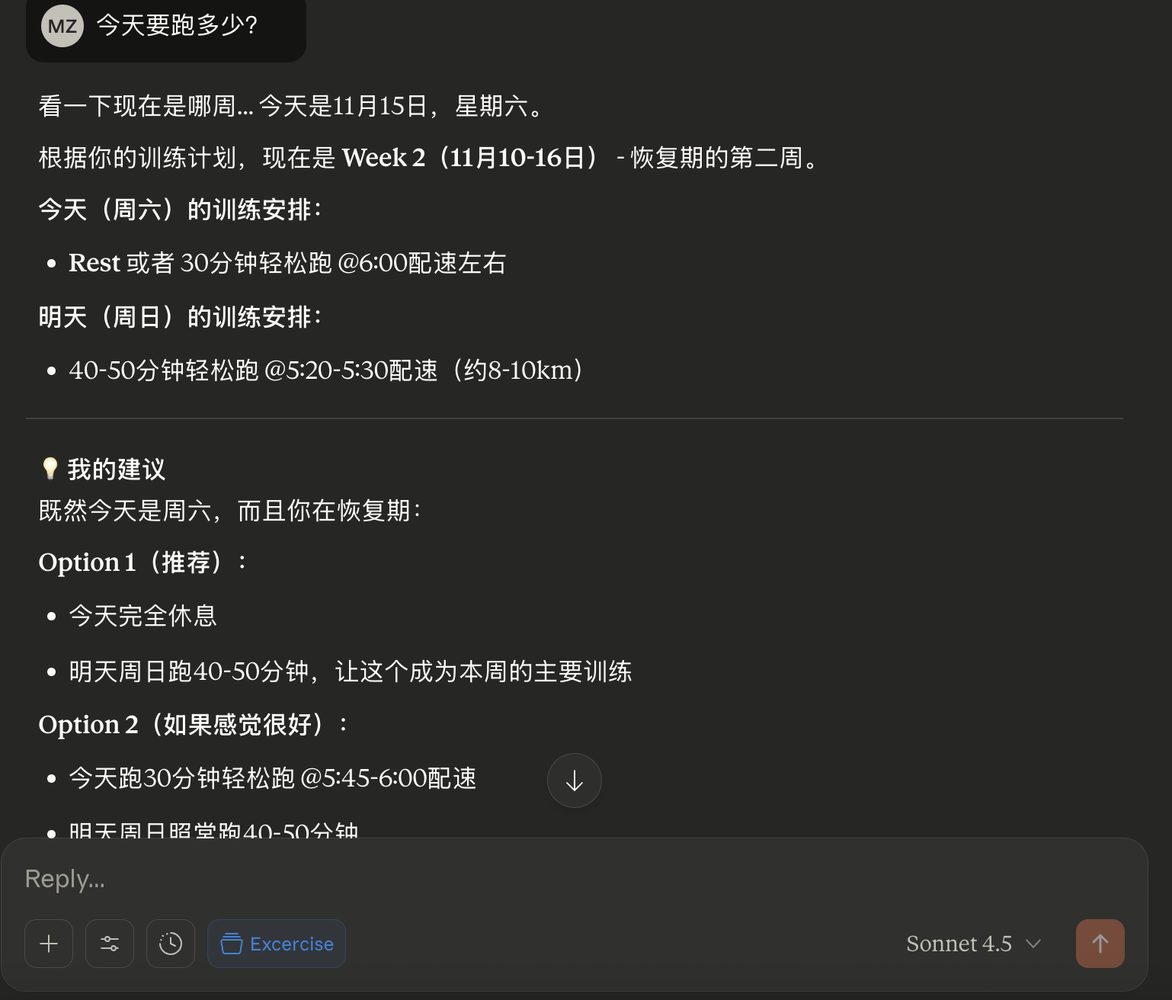
- Now I can ask complex questions like “How’s my recovery 2 weeks post-NYC Marathon compared to my training plan?”
- The AI synthesizes project knowledge + historical data + current metrics into personalized insights
What this replaced:
- Strava Premium: Basic analytics and social features
- Runna coaching app: Generic training plans and guidance
- Combined cost: ~$200/year for services that still felt disconnected from my actual context
Next step: I’m exploring building this into an iOS app—turning a weekend proof-of-concept into a product.
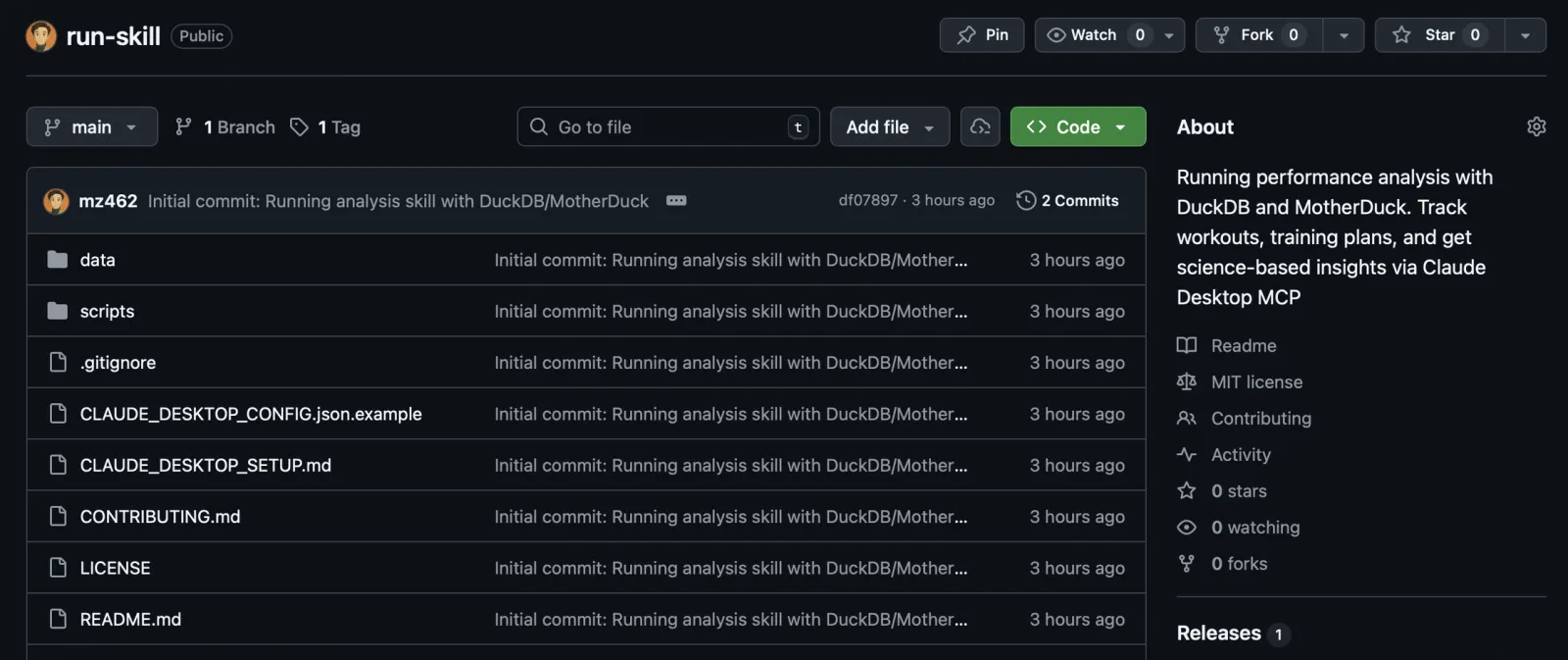
The whole project is open source here if you want to see the details.
But the real insight isn’t about running or saving money—it’s about the four architectural building blocks that made this possible in a weekend. These same patterns apply whether you’re analyzing post-marathon recovery, sales pipeline health, or customer support trends.
1. MCP (Model Context Protocol): Why Your Data Silos Are About to Disappear
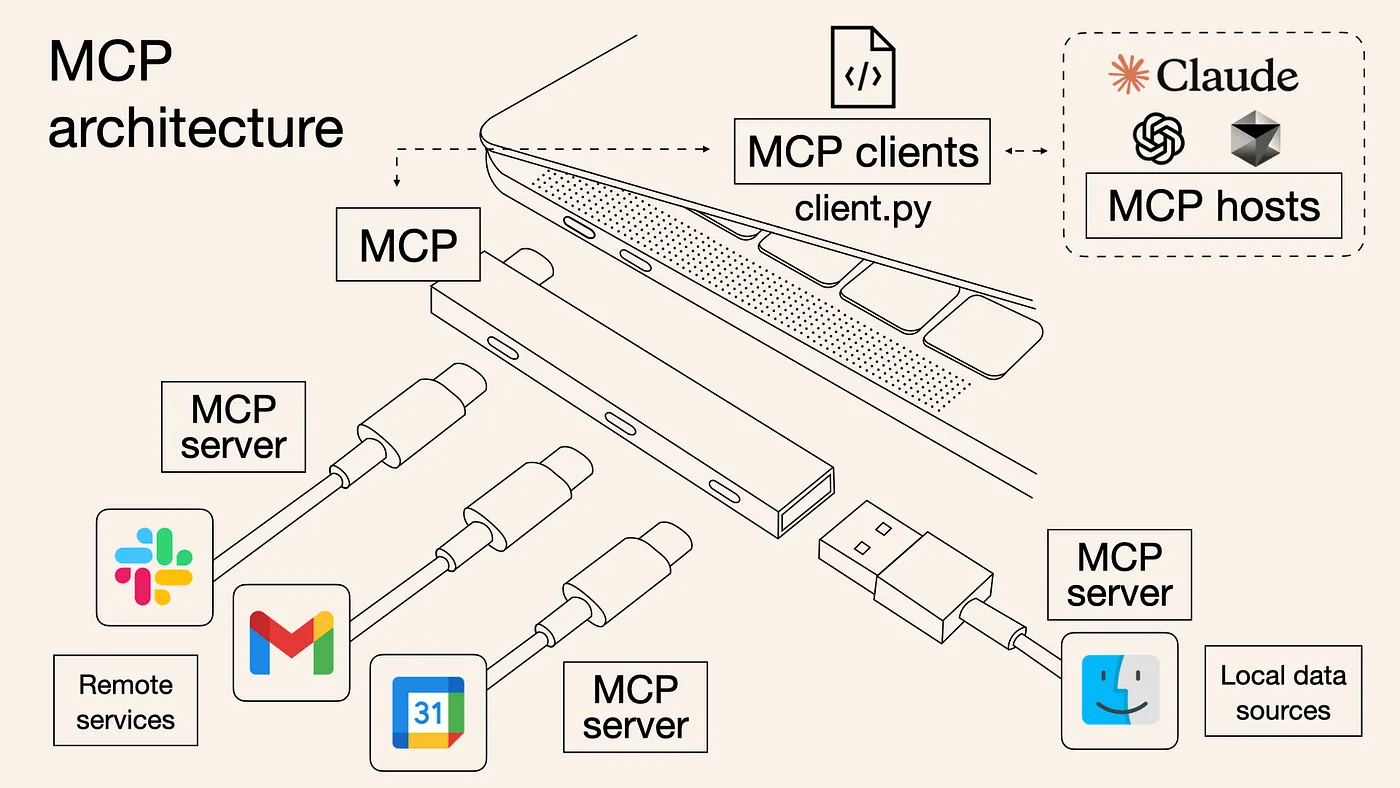
The old way: Copy data from Salesforce, paste into ChatGPT, hope the context is enough.
The new way: AI connects directly to your data sources through standardized “plugs.”
The analogy: Remember when every phone had a different charger? Then USB came along. MCP is USB for AI—a universal standard that lets AI assistants access different data sources seamlessly.
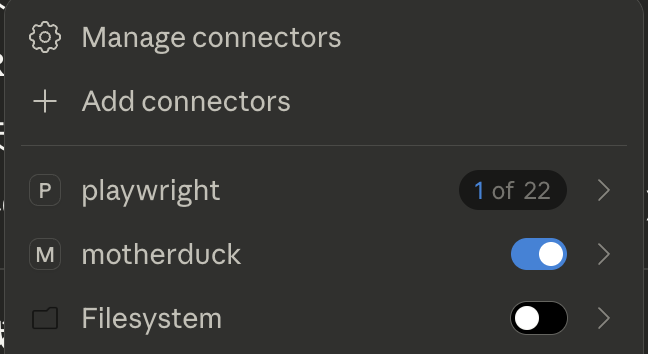
In my project: Instead of uploading CSV files, the AI connects directly to my cloud database (MotherDuck). When I ask “How does today’s run compare to the same route from last week?” it queries 867 runs, filters by route similarity, compares pace/HR trends, and answers contextually. All without me copying/pasting anything.
The power: I can ask “Am I recovering well from NYC Marathon 2 weeks ago?” and it:
- Queries my marathon performance (Nov 3, 2024)
- Pulls my runs from the past 2 weeks
- Compares heart rate, pace, and distance patterns to typical post-marathon recovery
- References my training plan to see if I’m on track for Jersey City Half
All in one conversational query.
Why this matters for business:
Your Salesforce data + your Google Analytics + your support tickets can all be accessible through one conversational interface. No more:
- “Let me pull up that dashboard…”
- “I’ll export this and send it to you…”
- “Give me a day to run that report…”
The catch: You control permissions. Just like granting app access on your phone, you decide what data the AI can see.
Personal learning: I initially thought I’d need to build custom integrations. MCP meant I just configured a connection string. The infrastructure already exists.
The Claude Project setup was equally important: Without loading my training plan and training science frameworks into project knowledge first, the AI would have no context for how to evaluate my data. It could query numbers, but couldn’t interpret “Is this good recovery?” The combination of project knowledge + MCP data access is what enables real insights.
2. Skills: Capturing Expertise That Usually Lives in Someone’s Head

The problem I hit: The AI could access my data, but it didn’t know how runners actually train. It couldn’t tell me if 6:51/km was good for a Zone 2 run.
The solution: I created a “skill”—essentially a playbook that teaches the AI about:
- Jack Daniels’ VDOT training methodology
- Pfitzinger heart rate zones
- How to evaluate pace progression
- Training plan periodization (base, build, peak, taper)
Now the AI doesn’t just return numbers. It provides coached insights.
The golden rule I learned: If you’re repeating the same instructions across multiple conversations, create a Skill.
Business translation:
Think about the expertise that exists only in your top performer’s head:
- Your best salesperson’s qualification methodology
- Your financial analyst’s forecasting approach
- Your customer success team’s escalation protocol
What if that expertise became a reusable skill that everyone could access through conversation?
Real examples:
- Brand standards skill: Upload guidelines once. Every document, email, and presentation automatically follows your color palette, typography, tone.
- Compliance skill: Ensure every customer data request follows GDPR protocols without training every employee on the full legal framework.
- Excel analysis skill: Your senior analyst’s pivot table methodology becomes accessible to the whole team.
The efficiency trick: Skills use “progressive disclosure”—a quick preview loads first (like a table of contents), full instructions load only when needed. You can maintain dozens of specialized skills without slowing anything down.
The context efficiency breakthrough: Skills can also contain actual code and scripts. Instead of the AI rewriting the same data processing code every time, the skill stores it. The AI just needs to know:
- When to use the tool
- How to call it
- How to interpret results
Example from my project: My VDOT calculation formula lives in the skill. The AI doesn’t regenerate the formula each time—it just calls the function and interprets the output. Saves hundreds of tokens per query.
Important clarification: Skills aren’t exclusive to Claude.
The concept of reusable skills is universal. You could take my running analysis skill and use it with ChatGPT, Gemini, or any other AI—just paste the instructions and code into the context window.
The difference is architectural:
- Claude engineered Skills to be context-efficient: They’re loaded into a “container” that sits outside your main context window. Only the relevant skill loads when needed.
- Other platforms require everything in context: You’d paste your skill instructions at the start of every conversation. It works, but consumes context window space the entire time, even when not actively being used.
The trade-off: Claude’s approach optimizes context (you can have dozens of skills without slowdown), but locks you into their platform. Pasting into ChatGPT is platform-agnostic, but less efficient.
Why this matters for builders: When architecting AI systems, think about whether your “skills” need to be platform-specific or portable. Sometimes you optimize for performance (Claude Skills), sometimes for portability (copy-paste instructions).
The ROI moment: When my system started giving me better insights than the $200/year in apps I was paying for, I realized this wasn’t just a technical exercise—it was a business model shift. Why pay for generic SaaS when you can build personalized AI on your own data?
3. Subagents: The Plumber You Hire for Results, Not Process
The concept: When your sink is clogged, you don’t micromanage the plumber (“use the snake now, try the auger next”). You want to know: “Is it fixed? What caused it? How do I prevent this?”
The plumber handles the details. You get the outcome.
How this works with AI:
Imagine asking: “Create a comprehensive competitive analysis.”
Instead of one AI trying to do everything sequentially, it simultaneously delegates to specialists:
- Market research subagent → Gathers competitor data (done in 8 seconds)
- Financial analysis subagent → Models revenue trends (done in 6 seconds)
- SWOT subagent → Identifies strengths/weaknesses (done in 5 seconds)
Each reports back with findings + recommendations. The main AI synthesizes into one report. Total time: 8 seconds (not 19 seconds sequential).
My running project doesn’t use this yet (currently one analyzer does everything sequentially), but it could. If I asked for a comprehensive training review, subagents could handle:
- Historical performance trends (Database Explorer)
- Pace consistency analysis (Pace Analyzer)
- Fitness trajectory modeling (VO2 Max Calculator)
- Heart rate zone evaluation (Training Science)
All in parallel, each reporting back just the insights.
Why business leaders should care:
- Speed through parallelization: Complex analysis that took hours now takes seconds
- Context window efficiency: Each subagent operates in its own context, preventing the main conversation from getting cluttered with irrelevant details
- Stay focused on outcomes: You don’t wade through every calculation—you just get synthesized insights
- Automatic expertise matching: Refund questions → billing specialist, technical issues → product specialist
- Scalability: Same infrastructure handles one request or a thousand
The context insight: Without subagents, one AI tries to hold everything in its working memory—database queries, pace calculations, heart rate analysis, training plan context. With subagents, each specialist handles their domain and reports back just the insights. Much more efficient.
Confirmed capability: I researched this—both Claude Code and the Agent SDK support parallel subagents (limit ~10 concurrent). This isn’t theoretical, it’s production-ready.
4. Prompts: The Difference Between “Run a Report” and “Give Me Insights”
The realization: Prompts aren’t just questions anymore. They’re job descriptions.
Compare these two:
Basic: “Analyze my run”
Detailed: “Analyze my November 16th run. Provide: (1) split-by-split breakdown with pace progression, (2) heart rate zone analysis with drift calculation, (3) comparison to similar historical runs in the ±20% distance range, (4) evaluation against my current training plan phase, (5) specific recommendations for next workouts.”
The second isn’t just “more detailed”—it’s a reusable template that ensures consistent, comprehensive analysis every time.
The business parallel:
Think about recurring tasks your team does:
- Quarterly business reviews
- Customer onboarding workflows
- Code review checklists
- Sales qualification
Each has an implicit structure in someone’s head. Prompts make that structure explicit and repeatable.
What I learned building this:
Good prompts are the new SOPs (Standard Operating Procedures). They:
- Ensure consistency at scale
- Capture quality standards
- Let junior employees produce senior-level work
- Prevent “garbage in, garbage out”
The pattern: Start vague, refine through iteration, capture the refined version as a template.
A workflow feature I can’t live without: Prompt editing
Here’s where Claude’s UX shines. When you get a mediocre response, you can go back to any previous prompt in the conversation, edit it, and regenerate from that point forward.
Why this matters: The earlier you steer the conversation in the right direction, the better your results. If I realize at message #10 that my prompt at message #3 was unclear, I can go back and fix it without starting over.
The version control advantage: Claude keeps all previous versions so you can compare improvements. Did my edit make the response better or worse? I can check.
Example from my running analysis:
- Original prompt: “Analyze my run”
- Got generic stats
- Edited prompt #3 to: “Analyze my run. Compare pace to similar post-marathon recovery runs, evaluate heart rate zones against base-building targets, and assess weekly volume vs training plan.”
- Much better response
- Could compare both versions to see the difference
Why I haven’t fully adopted other platforms:
- Google Gemini only lets you edit the most recent prompt
- ChatGPT doesn’t show previous versions for comparison
- This workflow optimization has slowed my adoption of competitors
The meta-insight: Good tools don’t just execute prompts—they help you iterate on them efficiently. This is the difference between using AI and getting good at using AI.
Putting It Together: When to Use What
Still confused about which tool does what? Here’s the framework I use:
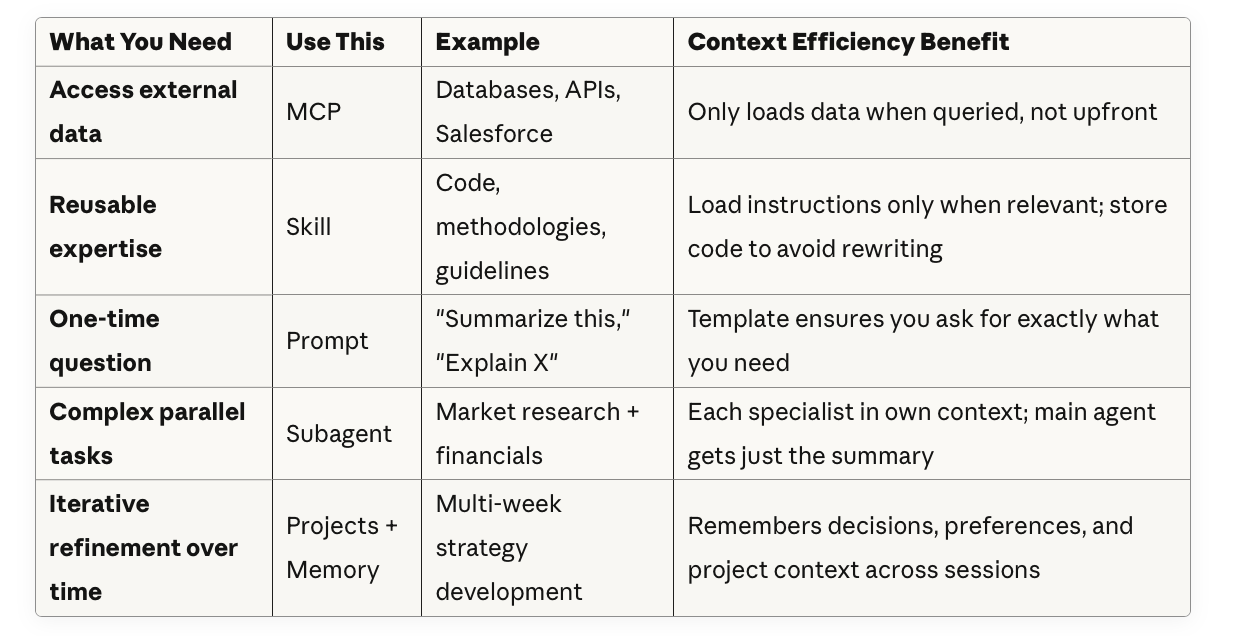
The unifying theme: All four techniques optimize what goes into the AI’s limited “working memory” and when.
In my running project:
- MCP: ✅ Connects to my cloud database (only queries relevant runs)
- Skill: ✅ Stores training science code + methodology (AI doesn’t regenerate formulas)
- Prompts: ✅ Structured analysis requests (gets exactly what I need, no fluff)
- Subagents: ⏳ Not implemented yet, but would isolate specialized analysis in separate contexts
Even with three of four, the system transformed how I interact with my data.
The Before/After That Made This Real
Before:
- $200/year for Strava + Runna subscriptions
- Generic training plans that didn’t adapt to my actual performance
- 867 runs of data sitting in files with no meaningful synthesis
- Questions like “How’s my marathon recovery?” required exporting data to CSV, pivot tables, chart creation
- Advice disconnected from my specific context (2 weeks post-NYC Marathon, training for Jersey City Half, sub-1:30:00 goal)
After:
- Ask questions in plain English: “How’s my recovery 2 weeks post-NYC Marathon?”
- Get personalized, science-backed insights in seconds: heart rate trends, pace comparisons vs pre-marathon baseline, weekly volume progression
- Coaching that understands my 867-run history AND my current training phase (recovery → base building)
- “Was this a good run?” gets answered with multi-dimensional context: 23% faster than similar post-marathon runs, Zone 2 heart rate (perfect for recovery phase), weekly volume at 11.9km vs plan target of 40km
- Close to canceling both subscriptions (saving $200/year)
The kicker: I’m now exploring building this into an iOS app for other runners. A weekend proof-of-concept might become a product.
The business equivalent:
Replace “running data” with “sales pipeline,” “customer support tickets,” or “supply chain metrics.”
Same transformation: From data overwhelm + expensive point solutions → conversational insights built on your data.
The Bigger Picture: What This Means for How We Work
We’re moving from:
- Clicking through dashboards → Asking questions
- Hiring specialists for every analysis → Deploying reusable skills
- Copying data between tools → Connecting via MCP
- Waiting for sequential analysis → Delegating to parallel subagents
But the deeper shift is this: We’re learning to treat context window like RAM.
Just like computer programmers optimize memory usage, we now need to think about:
- What knowledge should be loaded upfront (Project knowledge, Skills)?
- What data should be fetched on-demand (MCP)?
- What tasks should run in isolated contexts (Subagents)?
- How do we structure requests to get exactly what we need (Prompts)?
The question isn’t whether AI will change your industry. It’s whether you’ll understand the building blocks well enough to shape that change.
Three Questions to Ask Your Team Monday Morning
-
What data do we have that’s underutilized because it’s hard to access?
(That’s your MCP opportunity)
-
What expertise exists in someone’s head that should be captured as a reusable skill?
(That’s your Skills opportunity)
-
What repetitive analysis could we turn into a conversational question?
(That’s your Prompts opportunity)
The tools are here. The infrastructure is ready.
Want to See How This Actually Works?
The entire project is open source: github.com/mz462/run-skill
Even if you’re not a runner or a coder:
- See how Skills are structured (the methodology applies to any domain)
- Explore how MCP connects AI to databases
- Understand how prompts evolve from simple questions to powerful instructions
P.S. - If you’re exploring AI in your organization and want to discuss practical applications (not hype), let’s connect. I’m particularly interested in how teams are thinking about agent platforms and orchestration—and how vertical AI apps might disrupt existing SaaS markets.