I'm Quitting Claude (But Not What You Think)
After losing six months of Claude context to an account reset, I rebuilt my AI workflow on local files. Here's why context ownership matters more than convenience.
这篇暂时只有英文版。
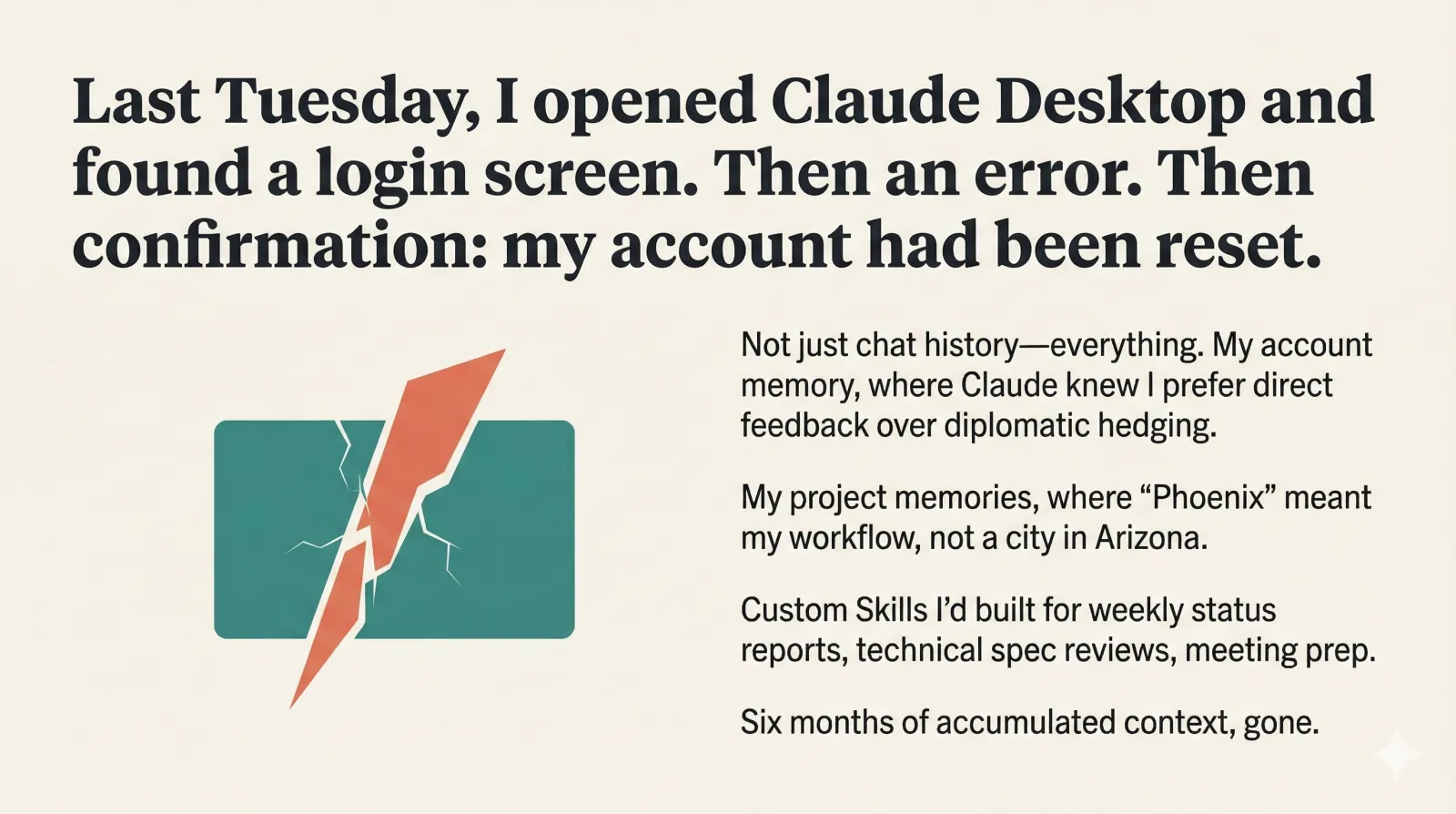
Last Tuesday, I opened Claude Desktop to continue a complex workflow I’d been refining for months. Instead, I found a login screen. Then an error. Then, after a frustrating back-and-forth, confirmation: my account had been reset.
Six months of Claude — gone.
Not just chat history. My account memory, where Claude had learned that I prefer direct feedback over diplomatic hedging. My project memories, where “Phoenix” meant my project, not a city in Arizona. The custom Skills I’d built for everything from weekly status reports to technical spec reviews.
All of it, wiped by circumstances outside my control.
This isn’t a complaint post. It’s about what I learned when I suddenly had to work without the AI context I’d spent months building — and why I’m now running Claude differently.
What I Actually Lost
Let me explain what “six months of Claude” actually means, because it’s not just chat logs.
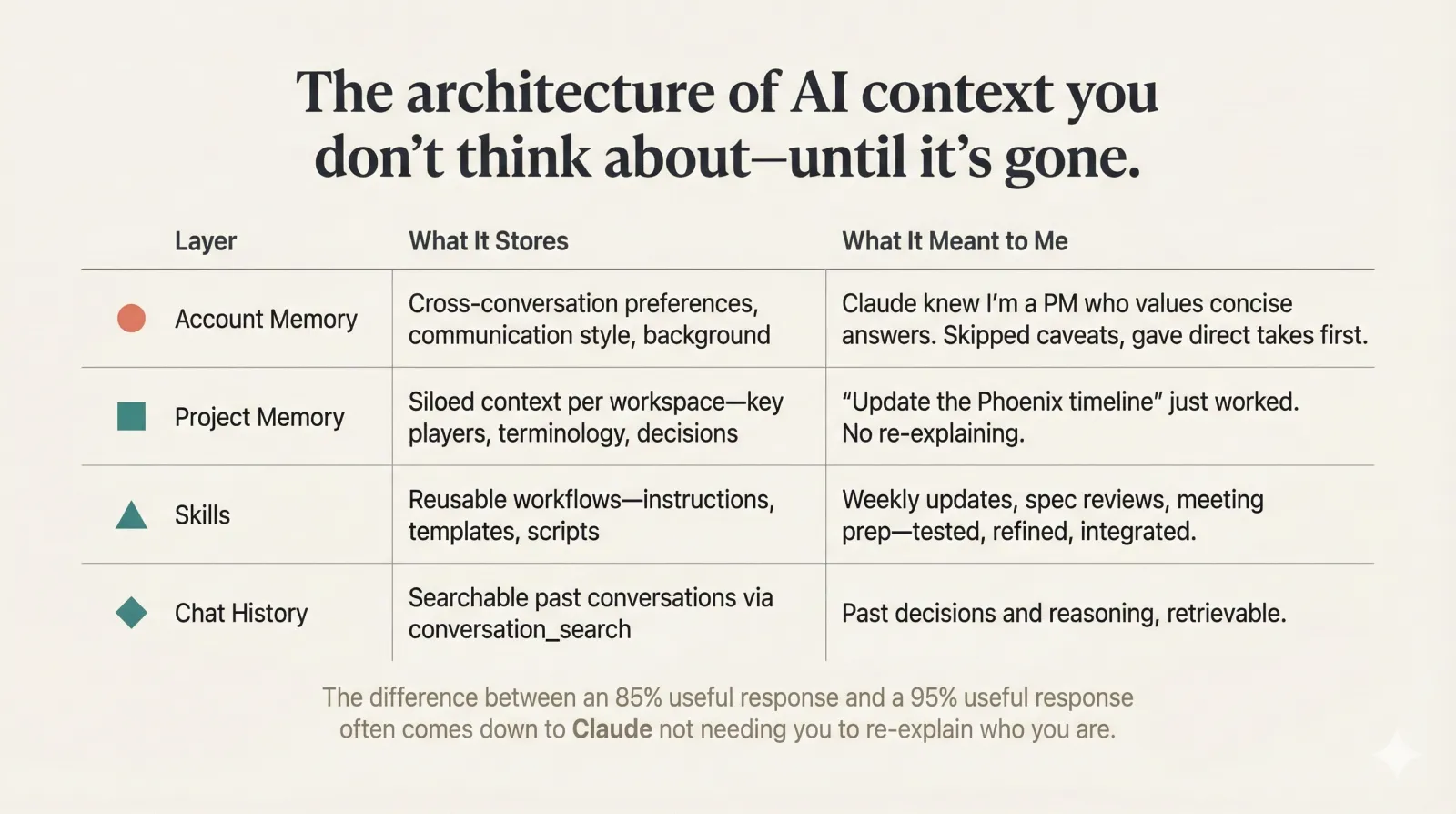
Account Memory is where Claude stores cross-conversation context about you — your preferences, communication style, background. Mine knew I’m a product manager who values concise answers. It knew to skip the caveats and give me the direct take first. These feel like small calibrations, but they compound. The difference between an 85% useful response and a 95% useful response often comes down to Claude not needing you to re-explain who you are.
Project Memory is siloed context for specific workspaces. Claude’s architecture deliberately keeps projects separate — your product launch doesn’t bleed into your client work. I had projects for Phoenix, for quarterly planning, for stakeholder communications. Each one had accumulated context: the key players, the terminology, the decisions already made. When I typed “update the Phoenix timeline,” Claude knew exactly what I meant.
Skills are reusable workflows — instructions, scripts, and templates that Claude loads when relevant. I’d built Skills for drafting weekly updates, reviewing technical specs, preparing meeting agendas. These weren’t just prompts I’d saved somewhere. They were tested, refined, and integrated into how I worked.
Chat History is searchable context that Claude can reference through its conversation_search tool. Past decisions, past reasoning, past iterations — all retrievable.
The first day without all this, I felt slow. I kept catching myself mid-sentence, realizing I had to explain context that Claude used to just know. It wasn’t catastrophic. But it was friction, everywhere, all day.
And somewhere in that friction, the realization hit.
The Realization
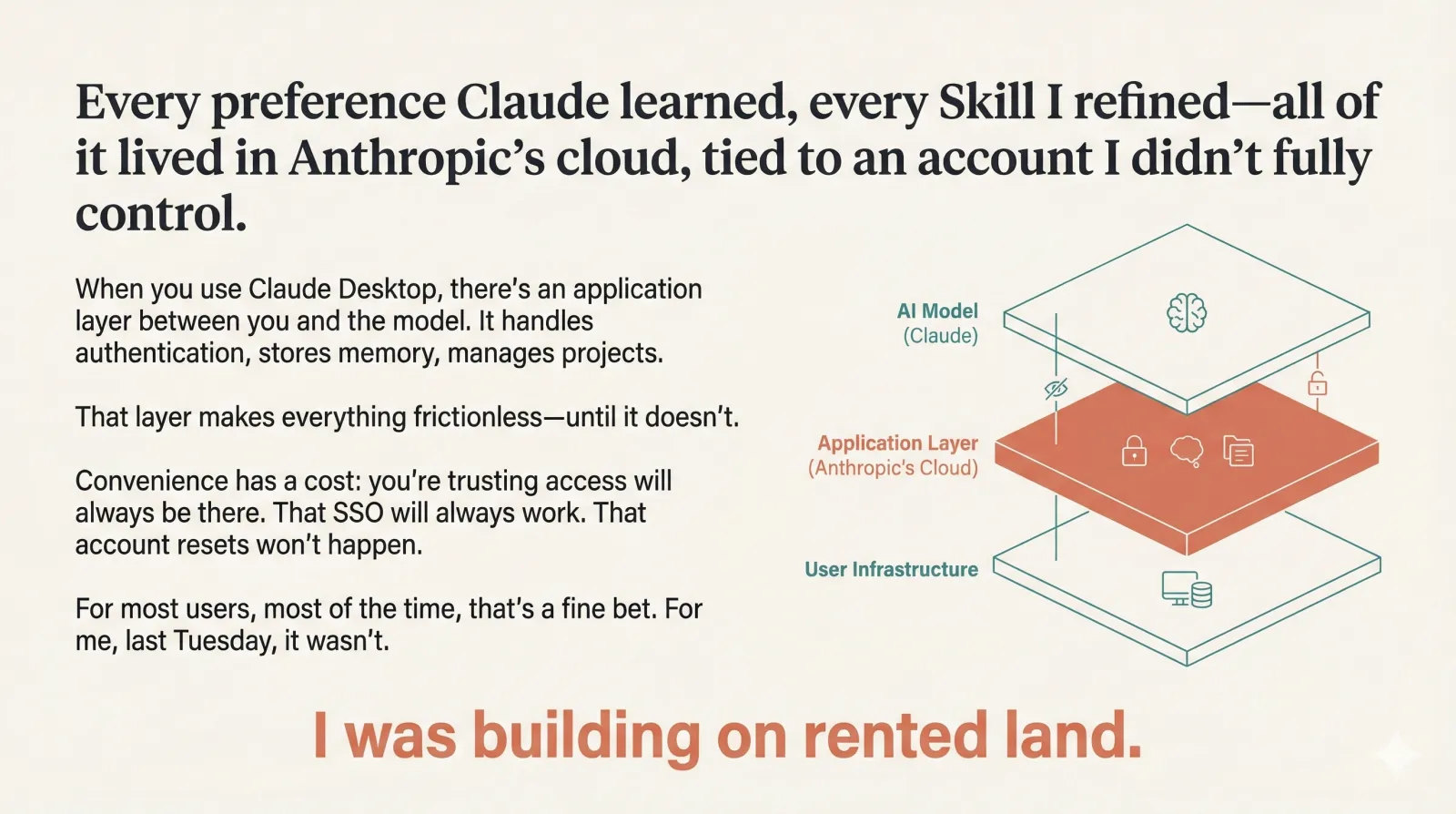
Here’s what I hadn’t fully internalized: I was building on rented land.
Every preference Claude learned, every project context I accumulated, every Skill I refined — all of it lived in Anthropic’s cloud, tied to an account I didn’t fully control. I wasn’t thinking about that when things worked. Why would I? The convenience was seamless.
That’s the tradeoff we rarely examine. When you use Claude Desktop, there’s an application layer between you and the model. That layer handles authentication, stores your memory, manages your projects. It makes everything frictionless — until it doesn’t.
I’m not saying cloud-based AI tools are bad. They’re not. The memory architecture in Claude is genuinely well-designed: project-scoped to prevent context bleeding, transparent so you can see and edit what Claude remembers, searchable across your conversation history. It’s good product thinking.
But convenience has a cost: you’re trusting that access will always be there. That SSO will always work. That account resets won’t happen. For most users, most of the time, that’s a fine bet. For me, last Tuesday, it wasn’t.
The question I started asking myself: What if I could have the same context persistence, but own it locally?
The New System
Claude Code is Anthropic’s CLI tool — Claude running in your terminal, with direct access to your filesystem. It’s the same model, but the application layer is different. And that difference matters.
Here’s how I’ve rebuilt my context:
CLAUDE.md replaces Account + Project Memory
Claude Code automatically reads a file called CLAUDE.md from your working directory. Whatever’s in that file becomes persistent context for every conversation. Memory you can see, edit, and version control.
The hierarchy mirrors what I lost:
| Claude Desktop | Claude Code equivalent |
|---|---|
| Account Memory | ~/.claude/CLAUDE.md (personal, all projects) |
| Project Memory | ./CLAUDE.md (shared with team via git) |
| Private project prefs | ./CLAUDE.local.md (auto-gitignored) |
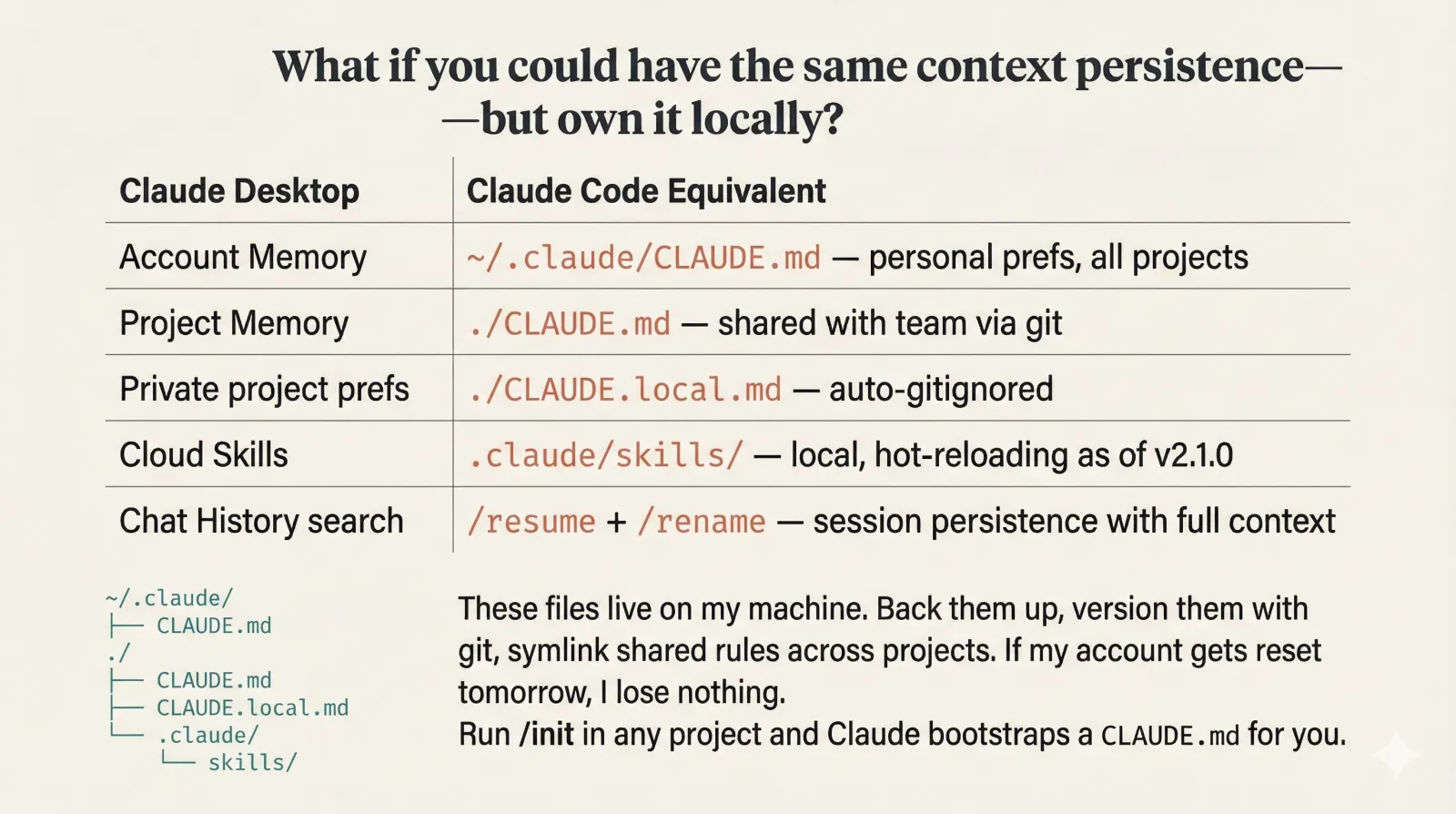
I now have my general preferences in my home directory — direct feedback, concise answers, my PM background. Each project folder has its own CLAUDE.md with context that would’ve taken weeks to accumulate in Desktop. Phoenix has one. Quarterly planning has one. Run /init in any project and Claude bootstraps one for you.
The difference: these files live on my machine. I can back them up, version them with git, even symlink shared rules across projects. If my account gets reset tomorrow, I lose nothing.
Local Skills replace cloud Skills
Skills in Claude Code work the same way — Markdown files with instructions and resources. But they live in .claude/skills/ in my project or ~/.claude/skills/ globally. Claude auto-discovers them at startup and invokes them when relevant.
As of version 2.1.0, Skills hot-reload — I can update a Skill mid-session without restarting. I’ve rebuilt my weekly update workflow, my spec review process, my meeting prep routine. They took an afternoon to recreate, but now they’re portable and version-controlled.
Session persistence actually works
One thing I underestimated: /resume. Claude Code stores sessions locally with full message history, tool results, and context. I can pick up exactly where I left off, even across days. /rename early to give sessions memorable names; /resume opens a picker showing sessions by project, branch, and last activity.
This isn’t chat history search like Desktop’s conversation_search — but it’s surprisingly close for the workflows I care about.
CLI over MCP where it makes sense
I’ve also replaced some MCP servers with their CLI equivalents. MCP is powerful for integrations that don’t have good command-line tools, but many popular servers just reimplement functionality that already exists in a CLI. The GitHub MCP server, for example, injects dozens of tool definitions into context — tokens spent before I’ve even asked a question. The gh CLI does the same thing with zero overhead.
For tools like GitHub, Jira, or cloud CLIs I already use, I skip the MCP layer entirely. Claude runs the commands directly. It’s faster, simpler, and keeps my context budget for what actually matters.
What I gave up
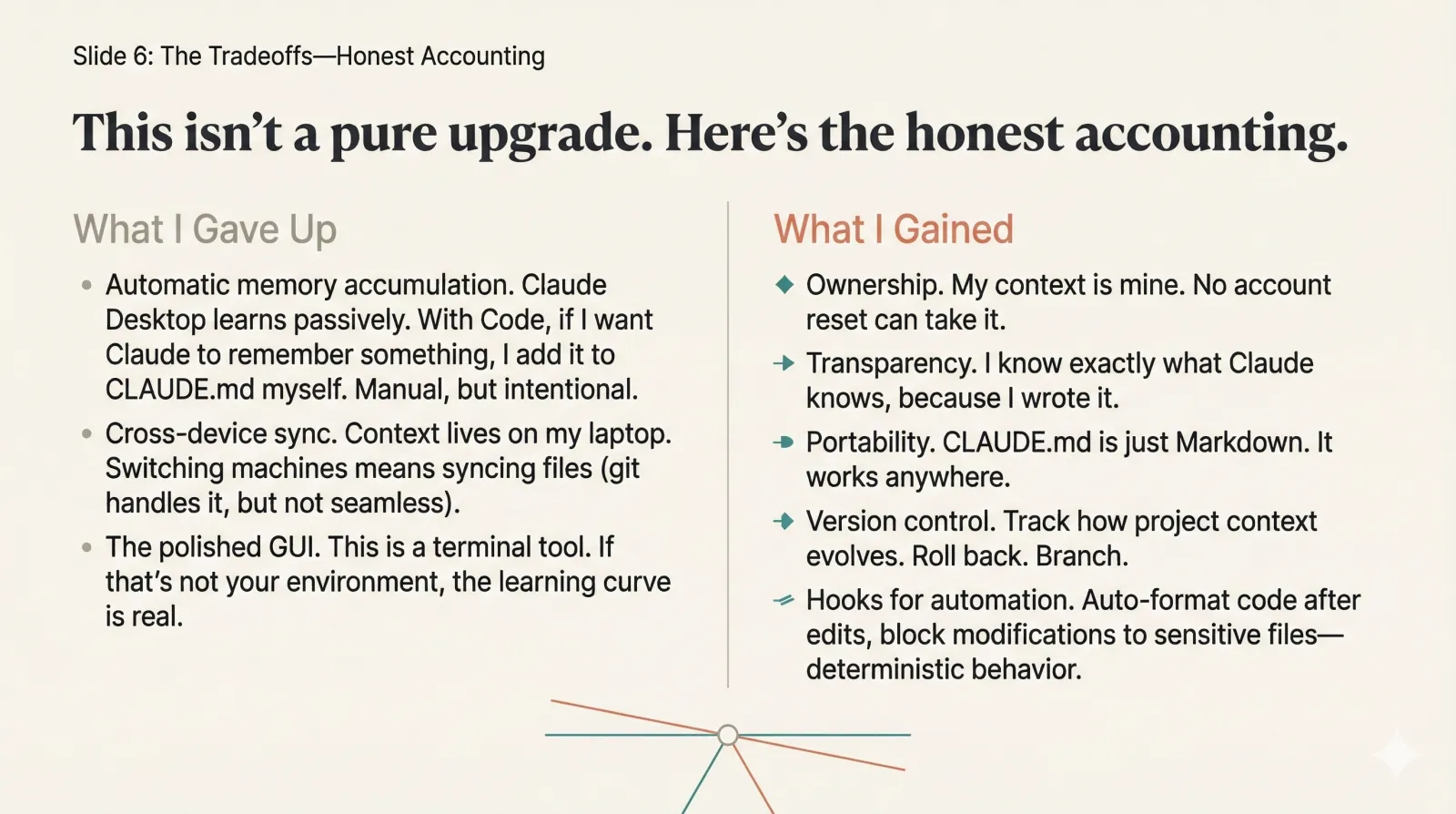
I won’t pretend this is a pure upgrade. Claude Code doesn’t have:
- Automatic memory accumulation. Claude Desktop learns passively from your conversations. With Claude Code, if I want Claude to remember something, I add it to CLAUDE.md myself. It’s manual, but it’s also intentional.
- Cross-device sync. My context lives on my laptop. If I switch machines, I need to sync the files myself (git handles this, but it’s not seamless).
- The polished GUI. This is a terminal tool. If that’s not your environment, the learning curve is real.
For my workflow — solo PM work, deep focus sessions, context-heavy projects — these tradeoffs are worth it. Your mileage may vary.
What I gained
- Ownership. My context is mine. No account reset can take it.
- Transparency. I know exactly what Claude knows, because I wrote it.
- Portability. CLAUDE.md is just Markdown. It works anywhere.
- Version control. I can track how my project context evolves. I can roll back. I can branch.
- Hooks for automation. I’ve set up hooks that auto-format code after edits and block modifications to sensitive files — deterministic behavior I couldn’t get in Desktop.
I rebuilt the framework Thursday and Friday, two days after losing everything. Early days still, but so far the system feels more robust than what I lost.
When Desktop Still Makes Sense
I’m not abandoning Claude Desktop entirely. This isn’t that kind of post.
Desktop still wins in a few areas:
Artifacts for sharing. When I need to generate something visual — a diagram, a React component preview, a document I’ll hand to someone else — Desktop’s artifact system is hard to beat. It renders outputs inline, makes iteration fast, and gives me something shareable without extra steps.
Collaboration and team memory. If you’re working with a team that shares Claude projects, Desktop’s cloud-based memory is a feature, not a bug. Project memory that syncs across team members, Skills that everyone can access — that’s genuinely useful for collaborative workflows.
Lower barrier to entry. Not everyone lives in a terminal. Desktop’s GUI is polished, approachable, and requires zero setup. For quick questions, casual use, or onboarding someone new to Claude, it’s the right choice.
Mobile and cross-device. Desktop syncs across web, desktop app, and mobile. If you need Claude on your phone or frequently switch machines, that seamlessness matters.
My shift isn’t “Desktop bad, Code good.” It’s about matching the tool to the job:
| Use case | My choice |
|---|---|
| Deep solo work, context-heavy projects | Claude Code |
| Shareable artifacts, visual outputs | Claude Desktop |
| Team collaboration | Claude Desktop |
| Quick questions on mobile | Claude Desktop |
| Anything I can’t afford to lose | Claude Code |
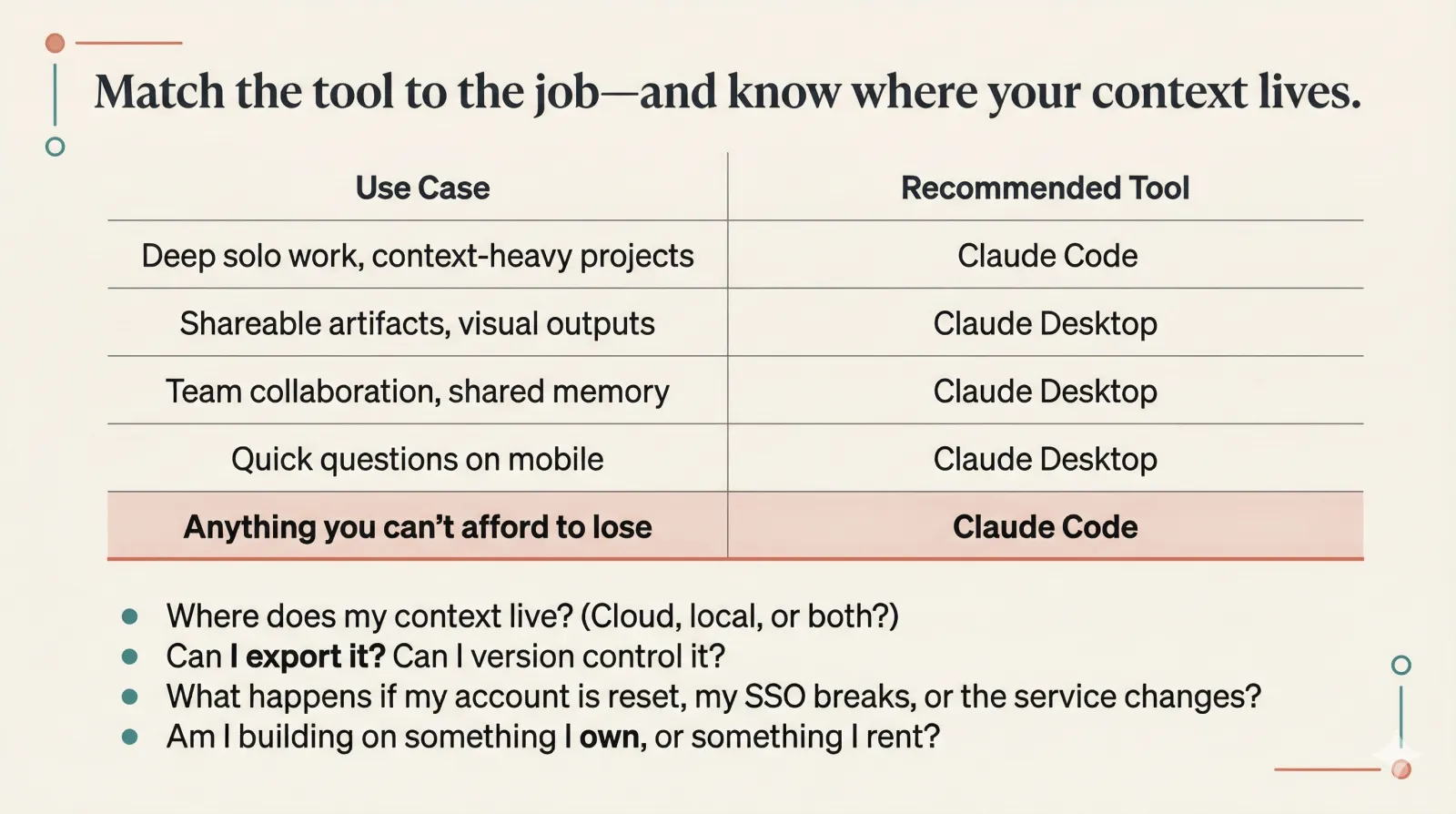
The last row is the point. For work that accumulates value over time — the context, the calibration, the workflows — I want that on my machine.
The Principle
Here’s what I want you to take from this:
Context is the asset. The interface is just the delivery mechanism.
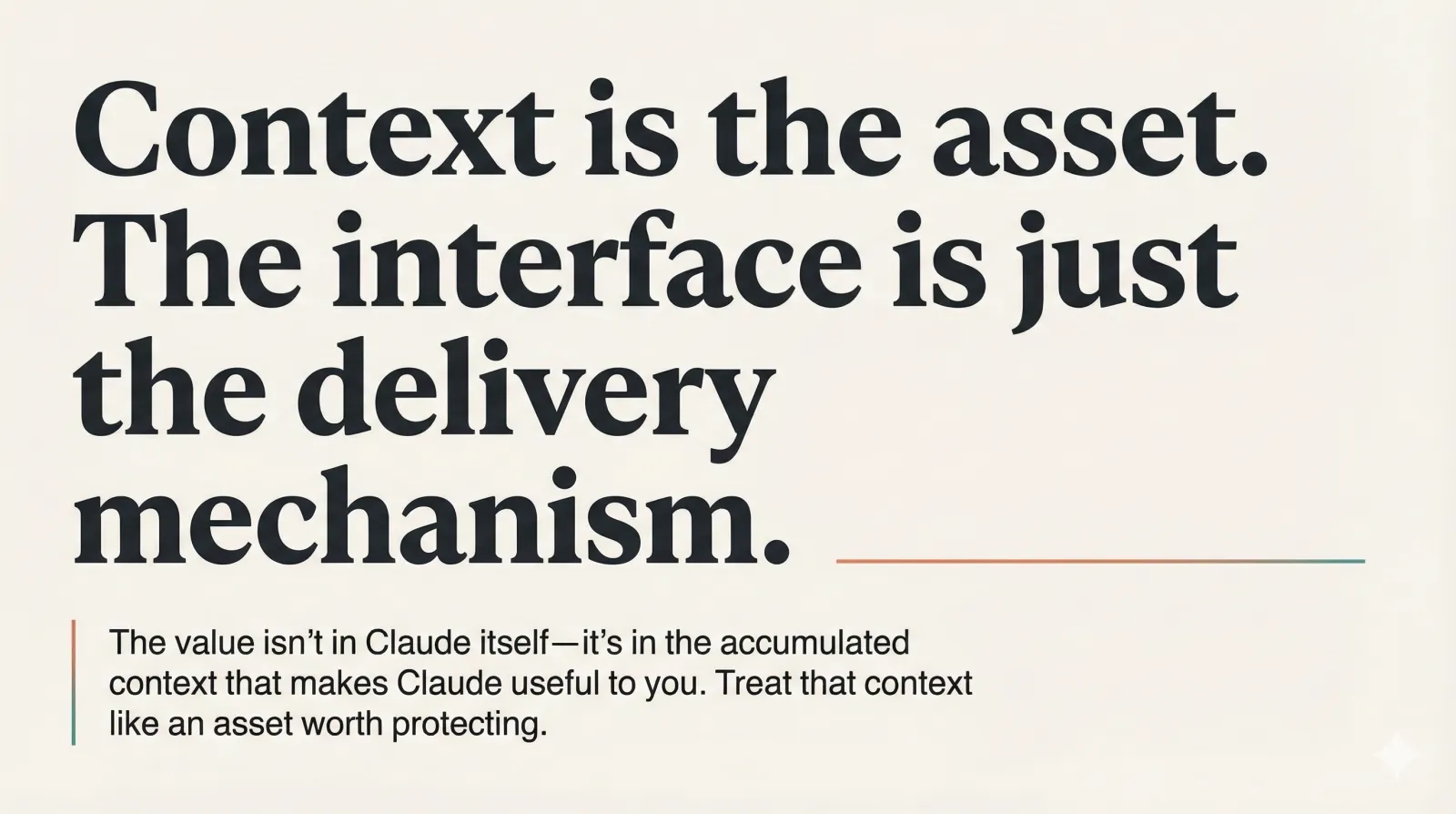
The value I’d built over six months wasn’t in Claude itself — it was in the accumulated context that made Claude useful to me. The preferences, the project knowledge, the workflows. When I lost access, I didn’t lose the model. I lost the context layer I’d built on top of it.
That context has value. Treat it like an asset worth protecting.
Be intentional about where your AI muscle memory lives.
Every time you teach an AI tool something about yourself — your preferences, your terminology, your workflows — you’re making a deposit. Ask yourself: Where is that deposit going? Can I withdraw it if I need to? What happens if access disappears?
For casual use, cloud-based memory is fine. For work that compounds over months, I now want local control.
Questions to ask about any AI workflow:
- Where does my context live? (Cloud, local, or both?)
- Can I export it? Can I version control it?
- What happens if my account is reset, my SSO breaks, or the service changes?
- Am I building on something I own, or something I rent?
I’m not arguing everyone should switch to Claude Code. I’m saying everyone should know where their AI context lives — and make that choice deliberately, not by default.
The convenience is real. Just make sure you understand what you’re trading for it.
I learned that the hard way. You don’t have to.